


Sensor: Pixart 3950
Equipped with the state-of-the-art PixArt 3950 optical sensor, Xeus ensures ultra-precise tracking and flawless responsiveness. Every movement is captured with pinpoint accuracy, giving gamers total control in every battle.


#1 of the Lightest Gaming Mice
General Specifications
Dimensions
Tracking
Responsiveness
Battery
System Requirements
Software
Download NODE - Xeus
Warranty Policy

Premium 2-Year Warranty
WPC, TDRA, CE Certified
24/7 Priority Customer Support
Secure Payment
Experience world-class comfort for extended work or gaming, engineered through advanced R&D.
Equipped with the state-of-the-art PixArt 3950 optical sensor, Xeus ensures ultra-precise tracking and flawless responsiveness. Every movement is captured with pinpoint accuracy, giving gamers total control in every battle.

Equipped to suit every gaming style, Xeus supports three distinct grip types, Palm, Claw, and Hybrid. Whether you rest your entire hand for relaxed control, arch your fingers for precision, or prefer a balanced blend of both, it ensures comfort and stability in every motion. Engineered for adaptability, it delivers a natural, secure hold that enhances performance across every playstyle.

Enjoy seamless versatility with Tri-Mode Connectivity, offering the freedom to switch between USB wired, Bluetooth 5.1, and 2.4GHz wireless modes. Whether you’re gaming with ultra-low latency or working across multiple devices, this mouse adapts effortlessly, delivering stable connections, minimal lag, and maximum convenience wherever you go.

Experience performance backed by assurance. Every Cybeart mouse comes with a 2-year limited warranty, covering manufacturing defects and ensuring consistent reliability. Designed with precision engineering and built to endure, your gear stays protected as long as you play.

Stay powered through workdays and game nights with a 300mAh high-efficiency battery that delivers up to 10 days of continuous use on a single charge. Designed for endurance, it ensures uninterrupted performance whether you’re grinding through projects or long gaming sessions, no constant recharging needed.

Weighing just 39 grams, this mouse is engineered for effortless control and all-day comfort. Its ultra-lightweight construction reduces hand fatigue during long work sessions and provides lightning-fast agility for competitive gaming, delivering precision, speed, and comfort in perfect balance.
Everything you need to get started

Xeus Mouse

User Manual

PTFE Feet Pads

1.8m Paracord Cable

8k Receiver
From ultra-light speed to pro-level precision, compare features and choose what fits your playstyle best.
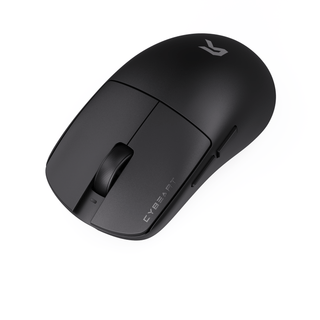
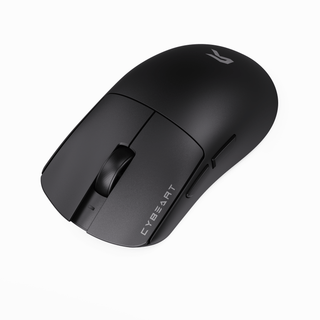
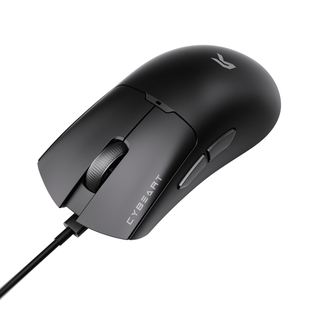
Engineered for speed, precision, and ultimate control — built for serious gamers who demand more.
Feature
For a chance to be featured, mention @cybe_art and #cybeartsetup #cybeart on Instagram.


We've covered the questions that matter most.
Cybeart offers a 30-day return window from the date of delivery for unused products in their original packaging. If you receive a defective or damaged item, you can request a replacement or full refund after our team verifies the issue. Refunds are processed within 5–7 business days once the returned item is received and inspected.
Yes, you can register your Cybeart product on our official website’s registration page using your serial number and purchase details. Registered users receive priority support, firmware updates, and notifications for extended warranty offers when available.
All Cybeart peripherals come with a standard 1-year limited warranty, which covers manufacturing defects and functional issues under normal usage. Some premium models may include an extended 2-year warranty check your product box or our website for specific details.
Yes. Cybeart peripherals are fully compatible with Windows and macOS systems. Most products work plug-and-play, while customization features such as RGB control, DPI tuning, and macros are available through our companion software on Windows. macOS users can still access essential functionality and lighting presets.
To update your Cybeart device firmware, open the Cybeart Control Software on your computer, navigate to the Device Settings tab, and click “Check for Updates.” Follow the on-screen instructions while keeping the device connected. Do not unplug it during the process to avoid update interruptions.
Note: Firmware updates are not applicable to the Pocket and Arcus mice.
Yes. The mouse is fully supported by Cybeart Node, which lets you adjust DPI levels, remap buttons, create macros, tweak performance settings, and save multiple profiles to onboard memory.