


Premium 2-Year Warranty
We have got you covered for full term of 2 years with our Extended Limited Warranty.
Fast Shipping
Same-day shipping on the majority of our products.
30-Day Trial
Try our chair for 30 days. Not the right fit? Return it, no questions asked.
Secure Transactions
Protected checkout with Shopify Payments and Affirm.
Find Your Perfect Gaming Mice
From ultra-light speed to pro-level precision, compare features and choose what fits your playstyle best.
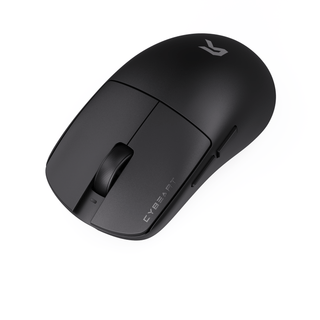
Xeus
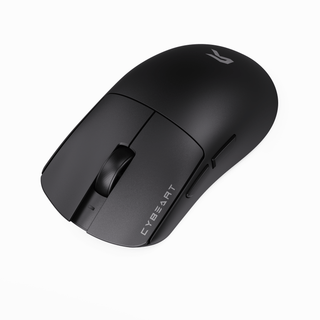
Artemis
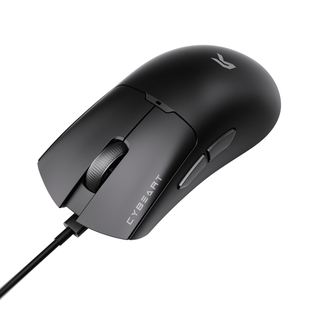
Ghost
Frequently Asked Questions
We've covered the questions that matter most.
Cybeart offers a 30-day return window from the date of delivery for unused products in their original packaging. If you receive a defective or damaged item, you can request a replacement or full refund after our team verifies the issue. Refunds are processed within 5–7 business days once the returned item is received and inspected.
Yes, you can register your Cybeart product on our official website’s registration page using your serial number and purchase details. Registered users receive priority support, firmware updates, and notifications for extended warranty offers when available.
All Cybeart peripherals come with a standard 1-year limited warranty, which covers manufacturing defects and functional issues under normal usage. Some premium models may include an extended 2-year warranty check your product box or our website for specific details.
Yes. Cybeart peripherals are fully compatible with Windows and macOS systems. Most products work plug-and-play, while customization features such as RGB control, DPI tuning, and macros are available through our companion software on Windows. macOS users can still access essential functionality and lighting presets.
To update your Cybeart device firmware, open the Cybeart Control Software on your computer, navigate to the Device Settings tab, and click “Check for Updates.” Follow the on-screen instructions while keeping the device connected. Do not unplug it during the process to avoid update interruptions.
Note: Firmware updates are not applicable to the Pocket and Arcus mice.
Yes. The mouse is fully supported by Cybeart Node, which lets you adjust DPI levels, remap buttons, create macros, tweak performance settings, and save multiple profiles to onboard memory.